


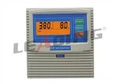
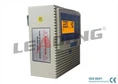


Hey there! As a supplier of IP54 Protection Grade Simplex Pump Controllers, I often get asked about how to adjust the settings of these controllers. So, I thought I'd put together this blog post to share some tips and tricks.
First off, let's talk a bit about what an IP54 simplex pump controller is. The IP54 rating means that the controller is protected against dust ingress to a degree that it won't interfere with its operation, and it's also protected against water splashes from any direction. A simplex pump controller is used to manage a single pump, controlling when it starts and stops based on certain conditions.
Understanding the Basics of Your Pump Controller
Before you start adjusting the settings, it's important to understand the basic components and functions of your IP54 simplex pump controller. Most controllers have a control panel with various buttons, switches, and indicators. The control panel is where you'll make all your adjustments.
There are usually settings for things like the pump's start and stop levels. For example, you can set the water level at which the pump should start pumping and the level at which it should stop. This is crucial for efficient water management, whether you're using the pump for a domestic water supply, irrigation, or industrial applications.


Step-by-Step Guide to Adjusting Settings
1. Power Off and Safety First
Before you start making any adjustments, make sure to turn off the power to the pump controller. This is a safety measure to prevent any electrical shocks or damage to the controller.
2. Locate the Control Panel
Find the control panel on your IP54 simplex pump controller. It's usually located on the front or side of the unit. Once you've found it, you'll see a series of buttons and switches.
3. Set the Start Level
The start level is the water level at which the pump will start operating. To set this, look for a button or switch labeled "Start Level" or something similar. Press or turn this button to adjust the level. You can usually use a digital display to see the current setting and make precise adjustments.
Let's say you're using the pump for a water tank. You might want to set the start level so that the pump starts when the water level in the tank drops to a certain point. This ensures that you always have enough water in the tank.
4. Set the Stop Level
Next, you'll need to set the stop level. This is the water level at which the pump will stop pumping. Similar to the start level, look for a button or switch labeled "Stop Level" and adjust it accordingly.
For example, if you don't want the tank to overflow, you can set the stop level so that the pump stops when the water reaches a safe level.
5. Adjust the Pressure Settings (if applicable)
Some IP54 simplex pump controllers also allow you to adjust the pressure settings. This is important if you need to maintain a certain pressure in your water system. Look for a button or switch labeled "Pressure" and use it to make the necessary adjustments.
6. Check the Alarm Settings
Many controllers have alarm settings that can alert you if there's a problem with the pump, such as a low water level or a high pressure. Make sure to set these alarm settings according to your needs. You can usually adjust the sensitivity of the alarms using the control panel.
7. Test the Settings
Once you've made all your adjustments, turn the power back on and test the pump controller. Check to see if the pump starts and stops at the correct levels and if the pressure settings are working as expected. If there are any issues, you may need to go back and make further adjustments.
Additional Tips and Considerations
Compatibility with Your Pump
Make sure that the settings you choose are compatible with your pump. Different pumps have different specifications, and you need to ensure that the controller is set up to work properly with your specific pump.
Regular Maintenance
Regular maintenance of your IP54 simplex pump controller is essential. Check the control panel for any signs of damage or wear, and clean it regularly to prevent dust and dirt from affecting its operation.
Troubleshooting
If you encounter any problems with the pump controller, don't panic. Most issues can be resolved by referring to the user manual or contacting the manufacturer's customer support.
Our Product Range
We offer a wide range of IP54 Protection Grade Simplex Pump Controllers, including the Intelligent Water Pump Control Box with Start and Run Capacitor, the Simplex Pump Controller Wall Mounting with Auto Manual Control, and the Multifunction Wireless Water Pump Controller. These controllers are designed to provide reliable and efficient pump control for various applications.
Contact Us for Purchasing
If you're interested in purchasing an IP54 simplex pump controller or have any questions about adjusting the settings, feel free to get in touch with us. We're here to help you find the right solution for your needs.
References
- Pump Controller User Manuals
- Industry Standards for Pump Control Systems