


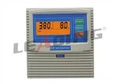
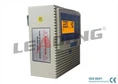


Hey there! I'm a supplier of the Durable AC220V Single Phase Pump Control Panel. Whether you're a regular customer, DIY enthusiast, or just someone who's got one of these panels lying around, knowing how to store it properly when it's not in use is super important. It can extend the panel's lifespan, save you money, and keep it in tip - top shape for when you need it again. So, let's dive into the details of how to store your pump control panel effectively.
Clean the Panel Before Storage
Before you even think about tucking your panel away, you've got to clean it. Over time, dust, dirt, and debris can build up on the panel's surface and inside its components. This can lead to corrosion, short - circuits, or other electrical problems. To clean it, start by unplugging the panel from the power source. You don't want any surprises while you're working on it!
Use a soft, dry cloth to wipe down the exterior of the panel. If there are stubborn stains or grime, you can lightly dampen the cloth with water or a mild cleaning solution. Just make sure the cloth isn't too wet, as water can damage the electrical components. For the inside of the panel, use a can of compressed air. Gently blow out any dust that has gathered around the switches, connectors, and circuit boards. This simple cleaning process can prevent a whole lot of headaches down the road.
Protect Against Moisture
Moisture is one of the biggest enemies of electrical equipment, and your Durable AC220V Single Phase Pump Control Panel is no exception. If moisture gets inside the panel, it can cause rust, corrosion, and electrical malfunctions.
To protect against moisture, store the panel in a dry place. Avoid areas that are prone to humidity, like basements or garages near a water source. You could also use moisture - absorbing products, such as silica gel packets. Place a few packets inside the storage container with the panel. These packets will soak up any excess moisture and keep the environment dry.
Another option is to use a dehumidifier in the storage area. This can be particularly useful if you're storing multiple electrical items, including your pump control panel. A dehumidifier will help maintain a low humidity level, reducing the risk of moisture damage.
Find the Right Storage Space
The location where you store your control panel can make a big difference in its longevity. You want a space that's cool, dry, and away from direct sunlight. Sunlight can heat up the panel and cause the plastic components to warp or degrade over time.
A climate - controlled storage room is ideal. But if you don't have access to one, a closet in your home can work too. Just make sure it's not near a heating vent or any other source of heat. You also want to avoid storing the panel in an area where it could be knocked over or damaged by other objects.
If you need to store the panel outside for some reason, you'll need to invest in a high - quality weatherproof storage container. Make sure it's sealed tightly to keep out rain, snow, and dust.
Disconnect and Label Components
When you're getting your panel ready for storage, it's a good idea to disconnect any additional components, such as sensors or cables. This will prevent damage to these parts and make the panel easier to store.
As you disconnect each component, label it clearly. You can use masking tape and a marker to write down what each part is and where it goes. This will save you a lot of time and hassle when you're ready to use the panel again.
Consider a protective cover
A protective cover can provide an extra layer of defense for your panel during storage. There are many different types of covers available on the market, made from materials like plastic, rubber, or fabric.
A plastic cover is a good choice as it's waterproof and can protect the panel from scratches and dust. Make sure the cover fits the panel snugly and is designed for your specific model. If you can't find a pre - made cover, you could also use a large plastic bag. Just wrap the panel in the bag and secure it with tape.
Inspect Regularly
Even if your panel is in storage, it's important to check on it regularly. Aim to inspect the panel every few months. This will allow you to catch any potential problems early, such as moisture damage or pest infestation.
During the inspection, look for signs of rust, corrosion, or damage to the components. Check the moisture - absorbing products and replace them if they're saturated. If you notice any issues, address them immediately to prevent further damage.


Related Products
If you're interested in learning more about our pump control panels, take a look at some of our related products. We have the Over Load Protection Single Phase Pump Control Panel for Irrigations of Greenhouses, which is perfect for greenhouse irrigation systems. It offers overload protection to keep your pump running smoothly.
We also have the Reliable Single Phase Pump Controller ( MP - S1 Plus) Parameter Calibration with CE Certification. This controller has been CE - certified, meaning it meets high - quality and safety standards. It's easy to calibrate and can provide reliable performance for your single - phase pump.
For those in the African market or with farm borehole pumps, our African Market Borehole Pump Control Panel Protecting Against Dry Run for Farm offers dry - run protection, which is crucial for preventing pump damage.
Conclusion and Call to Action
Storing your Durable AC220V Single Phase Pump Control Panel properly when not in use is essential for its long - term performance and reliability. By following these simple steps, you can ensure that your panel remains in good condition and is ready to go whenever you need it.
If you're in the market for a new pump control panel or have any questions about our products, don't hesitate to reach out. We're here to help you find the best solution for your needs. Whether it's for a small home project or a large - scale agricultural operation, we've got the right panel for you.
References
- General knowledge on electrical equipment storage
- Manufacturer's guidelines for Durable AC220V Single Phase Pump Control Panel