


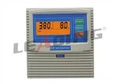
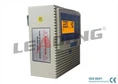


After installing a Simplex Pump Controller, it's crucial to conduct thorough testing to ensure its proper functioning and reliability. As a supplier of Simplex Pump Controllers, I understand the significance of this process and would like to share a comprehensive guide on how to test a Simplex Pump Controller after installation.
Pre - installation Checks
Before starting the actual testing, it's essential to perform some pre - installation checks. First, visually inspect the controller for any signs of physical damage during transit or installation. Ensure that all the wiring connections are secure and correctly made according to the installation manual. Check the power supply voltage to make sure it matches the controller's specifications.
Power - On Test
Once the pre - installation checks are completed, it's time to power on the controller. Switch on the power supply and observe the controller's display (if it has one). A properly functioning controller should power up smoothly, and the display should show normal startup information, such as the model number or initial status indicators.
If the controller fails to power on, check the power source again. Ensure that the circuit breaker or fuse is not tripped. Check for any loose or damaged power cables. In some cases, a blown fuse may be the culprit, and it should be replaced with a fuse of the correct rating.
Sensor and Switch Testing
Most Simplex Pump Controllers are connected to sensors and switches that monitor various parameters such as water level, pressure, etc. To test the water - level sensors, simulate different water levels. For example, if it's a float - type sensor, move the float to different positions and observe the controller's response. The controller should detect the change in water level and respond accordingly, such as starting or stopping the pump.
Pressure sensors can be tested by applying different pressures to the sensor. Use a pressure gauge to measure the applied pressure accurately. The controller should display the correct pressure reading and take appropriate actions based on the set pressure thresholds.
Pump Operation Testing
After ensuring that the sensors and switches are working correctly, it's time to test the pump operation. Set the controller to the appropriate operating mode, such as automatic or manual.

In manual mode, start the pump directly through the controller. Observe the pump's startup process. A healthy pump should start smoothly without any unusual noises or vibrations. Check the pump's flow rate and pressure. Compare the measured values with the pump's rated specifications. If the flow rate or pressure is significantly lower than expected, there may be a problem with the pump itself, such as a clogged impeller or a faulty valve.
In automatic mode, let the controller control the pump based on the sensor inputs. For example, if the controller is set to start the pump when the water level drops below a certain point, lower the water level in the tank and observe if the pump starts as expected. Similarly, when the water level reaches the upper limit, the pump should stop.
Overload and Protection Testing
Simplex Pump Controllers are equipped with overload and protection features to safeguard the pump and the controller itself. To test the overload protection, gradually increase the load on the pump. This can be done by partially closing a valve in the discharge line. The controller should detect the increased load and take appropriate action, such as tripping the circuit breaker or shutting down the pump to prevent damage.
Test the short - circuit protection by creating a simulated short - circuit in a safe and controlled environment. This should trigger the controller's protection mechanism, and the power supply to the pump should be immediately cut off.
Communication and Monitoring Testing (if applicable)
Some modern Simplex Pump Controllers come with communication interfaces for remote monitoring and control. If your controller has such features, test the communication functionality. Connect the controller to a monitoring system or a computer using the appropriate communication cables.

Check if you can access the controller's parameters, such as pump status, sensor readings, and operating history, from the monitoring device. Try to send control commands from the monitoring device to the controller and observe if the controller responds correctly.
Troubleshooting during Testing
During the testing process, you may encounter some issues. If the pump fails to start, check the wiring connections between the controller and the pump. Make sure that the motor windings are not damaged. Check the control signals sent from the controller to the pump.
If the controller gives false readings from the sensors, check the sensor calibration. Some sensors may need to be recalibrated after installation. Also, check for any interference or electrical noise that may affect the sensor's performance.
Conclusion
Testing a Simplex Pump Controller after installation is a multi - step process that requires careful attention to detail. By following the steps outlined above, you can ensure that the controller is functioning properly and that the pump system is reliable.
At our company, we offer a range of high - quality Simplex Pump Controllers, including the Intelligent Water Pump Control Box with Start and Run Capacitor, the Universal Simplex Pump Controller 380V with Maximum Output Power 15KW, and the Simplex Pump Controller Intelligent Water Pump Control System. If you have any questions about our products or need assistance with testing and installation, please feel free to contact us for procurement and further discussions.

References
- Pump Control System Installation and Operation Manuals
- Electrical Engineering Standards for Pump Control Devices
- Manufacturer's Technical Documentation for Simplex Pump Controllers