


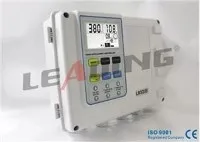


Hey there! I'm a supplier of IP54 Protection Grade Simplex Pump Controllers. Over the years, I've dealt with a ton of issues related to these controllers. Today, I'm gonna share some tips on how to troubleshoot an IP54 simplex pump controller.
1. Basic Checks
First things first, when you're facing problems with your IP54 simplex pump controller, start with the basic stuff. Check if the power supply is okay. I've seen many cases where the issue was as simple as a loose power cord or a tripped circuit breaker. Make sure the power switch on the controller is in the 'ON' position. Sometimes, it might get accidentally turned off.
Also, take a look at the fuses. A blown fuse can cause the controller to stop working. If you find a blown fuse, replace it with a new one of the same rating. But be careful when handling fuses; always make sure the power is off before you do anything.
2. Sensor Checks
The sensors in the pump controller play a crucial role. They are responsible for detecting the water level and other parameters. If the sensors are not working properly, the controller won't be able to function as it should.


Check the sensor connections. Loose or damaged connections can lead to inaccurate readings. Make sure the wires are securely plugged in and there are no signs of damage like cuts or fraying.
If you suspect a sensor is faulty, you can test it using a multimeter. For example, if it's a pressure sensor, you can measure the voltage output. Compare the reading with the specifications provided by the manufacturer. If the reading is way off, then the sensor might need to be replaced.
3. Controller Display and Indicators
The display and indicators on the controller can give you a lot of clues about what's going wrong. If the display is blank, it could be a power issue or a problem with the display itself. Check the power supply to the display unit and see if there are any loose connections.
Look at the indicator lights. Different lights indicate different states of the controller. For example, a red light might mean there's an error, while a green light could mean the controller is operating normally. Refer to the user manual to understand what each light means. If an error light is on, the manual should also tell you what the specific error code is and how to fix it.
4. Relay and Contact Checks
Relays and contacts are used to control the power to the pump. If they are not working correctly, the pump might not start or stop as it should.
Check the relays for any signs of damage. Burn marks or a strange smell could indicate that a relay has failed. You can also use a multimeter to test the continuity of the relay contacts. If there's no continuity, then the relay needs to be replaced.
The contacts can also get dirty or corroded over time. Clean them gently using a contact cleaner. Make sure to follow the instructions on the cleaner and take appropriate safety precautions.
5. Software and Configuration
Sometimes, the problem might be related to the software or configuration of the controller. If the controller has been recently reprogrammed or if there's been a power outage, the settings might have been changed.
Check the configuration settings. Make sure they match the requirements of your pump and the application. You might need to refer to the user manual to adjust the settings correctly.
If you suspect there's a software issue, you can try resetting the controller to its factory settings. But be aware that this will erase all your custom settings, so make sure you have them noted down before you do the reset.
6. Communication Checks
If your IP54 simplex pump controller is part of a larger system and has communication capabilities, check the communication connections. This could be Ethernet, RS485, or other types of communication interfaces.
Make sure the cables are properly connected and there are no interference issues. If the controller is not communicating with other devices in the system, it could be due to a misconfiguration or a hardware problem. Check the communication settings on the controller and the connected devices to ensure they are compatible.
When to Seek Professional Help
If you've gone through all these troubleshooting steps and still can't figure out the problem, it might be time to seek professional help. You can contact the manufacturer's technical support team. They have the expertise and resources to diagnose and fix more complex issues.
As a supplier, I also offer technical support to my customers. If you're using one of our Commercial Simplex Pump Controller, Simplex Pump Controller Intelligent Water Pump Control System, or Simplex Pump Controller Wall Mounting with Auto Manual Control, don't hesitate to reach out to us.
Conclusion
Troubleshooting an IP54 simplex pump controller can seem daunting at first, but by following these steps, you can often identify and fix the problem on your own. Remember to always prioritize safety when working with electrical equipment.
If you're in the market for a new pump controller or need to replace an existing one, we have a wide range of high - quality IP54 Protection Grade Simplex Pump Controllers. Contact us if you're interested in learning more or if you want to start a procurement negotiation. We're here to help you find the best solution for your needs.
References
- Manufacturer's user manuals for IP54 simplex pump controllers
- Technical documentation on pump control systems