


As a supplier of Holidays House Intelligent Pump Controllers, I understand that users may encounter various common problems during the use of these controllers. In this blog, I will share some effective troubleshooting methods to help you quickly resolve issues and ensure the normal operation of your pump systems.
1. Controller Does Not Power On
One of the most common problems users face is that the controller fails to power on. This can be caused by several factors.
Check the Power Supply
First, verify that the power cord is properly plugged into a working electrical outlet. Sometimes, a loose connection can prevent the controller from receiving power. You can try unplugging and then plugging the cord back in firmly. Also, check if there is a power outage in your area or if the circuit breaker for the outlet has tripped. If the circuit breaker has tripped, reset it and see if the controller powers on.
Inspect the Fuse
Most intelligent pump controllers are equipped with fuses for protection. A blown fuse can cause the controller to lose power. Locate the fuse on the controller and check if it is intact. If the fuse is blown, replace it with a new one of the same rating. Make sure to follow the manufacturer's instructions when replacing the fuse to avoid any safety hazards.
Check for Internal Damage
If the power supply and fuse are both in good condition, there may be internal damage to the controller. This could be due to a manufacturing defect, electrical surges, or water damage. In this case, it is recommended to contact a professional technician for further inspection and repair. You can also refer to the user manual or contact our customer support team for assistance.
2. Pump Does Not Start
Even if the controller is powered on, the pump may still fail to start. Here are some possible causes and solutions.
Check the Pump Connections
Ensure that the pump is properly connected to the controller. Loose or damaged connections can prevent the controller from sending the start signal to the pump. Check the wiring between the controller and the pump, and make sure all the connections are secure. If you find any damaged wires, replace them immediately.
Verify the Pump Status
The pump itself may be malfunctioning. Check if the pump is jammed or if there is any blockage in the pump intake or discharge. You can try manually rotating the pump shaft to see if it moves freely. If the pump is jammed, you may need to remove the blockage or repair the pump. In some cases, the pump motor may be damaged, and it will need to be replaced.
Check the Control Settings
The controller may have incorrect control settings that prevent the pump from starting. Refer to the user manual to ensure that the settings are configured correctly. For example, the pump may be set to a manual mode when you expect it to start automatically. Adjust the settings as needed to match your requirements.
3. Pump Runs Continuously
Another common problem is that the pump runs continuously without stopping. This can lead to excessive energy consumption and premature wear and tear of the pump.
Check the Float Switch
If your pump controller is equipped with a float switch for liquid level control, the float switch may be malfunctioning. The float switch is designed to turn the pump on and off based on the liquid level. If the float switch is stuck in the "on" position, the pump will run continuously. Inspect the float switch for any damage or debris, and make sure it can move freely. You can test the float switch by manually moving it up and down to see if the pump starts and stops accordingly. If the float switch is defective, replace it with a new one.
Check the Pressure Sensor
Some intelligent pump controllers use pressure sensors to control the pump operation. A faulty pressure sensor can cause the pump to run continuously. Check the pressure sensor for any damage or blockage. You can also test the pressure sensor using a pressure gauge to ensure that it is reading the correct pressure. If the pressure sensor is not working properly, replace it with a new one.
Check the Controller Settings
Incorrect controller settings can also cause the pump to run continuously. Make sure that the settings for the pump start and stop conditions are configured correctly. For example, the pressure setpoint for the pump stop may be too high, causing the pump to keep running. Adjust the settings as needed to ensure that the pump stops when it reaches the desired level or pressure.
4. Controller Displays Error Codes
Many Holidays House Intelligent Pump Controllers are equipped with an error code display system to help users identify and troubleshoot problems. When the controller displays an error code, refer to the user manual to find out what the code means.
Common Error Codes and Solutions
- E1: Overcurrent Protection: This error code indicates that the pump is drawing too much current. Check the pump for any blockages or mechanical problems that may be causing the overcurrent. You can also check the wiring to ensure that there are no short circuits. If the problem persists, the pump motor may be damaged and need to be replaced.
- E2: Overvoltage Protection: This error code means that the input voltage to the controller is too high. Check the power supply to ensure that the voltage is within the acceptable range. If there is a voltage surge in your area, you may need to install a voltage stabilizer to protect the controller.
- E3: Undervoltage Protection: This error code indicates that the input voltage to the controller is too low. Check the power supply and the wiring to ensure that there are no loose connections or voltage drops. If the problem persists, the power source may be insufficient, and you may need to upgrade your electrical system.
If you encounter an error code that is not listed in the user manual or if you are unable to resolve the problem based on the provided information, contact our customer support team for further assistance.
5. Communication Issues
Some intelligent pump controllers allow for remote monitoring and control through a communication interface. If you are experiencing communication issues, here are some things to check.
Check the Communication Settings
Make sure that the communication settings on the controller are configured correctly. This includes the communication protocol, IP address, and port number. Refer to the user manual for detailed instructions on how to set up the communication settings.
Check the Network Connection
If the controller is connected to a network, ensure that the network connection is stable. Check the network cables, routers, and switches to make sure they are all working properly. You can also try restarting the network devices to see if it resolves the communication issue.
Check for Interference
Wireless communication can be affected by interference from other electronic devices or physical obstacles. If you are using a wireless communication interface, try moving the controller or the receiving device to a different location to reduce interference. You can also try changing the wireless channel to avoid interference from other wireless networks.
6. Additional Resources
If you need more information about our Holidays House Intelligent Pump Controllers or if you encounter any problems that you cannot resolve on your own, here are some useful resources:
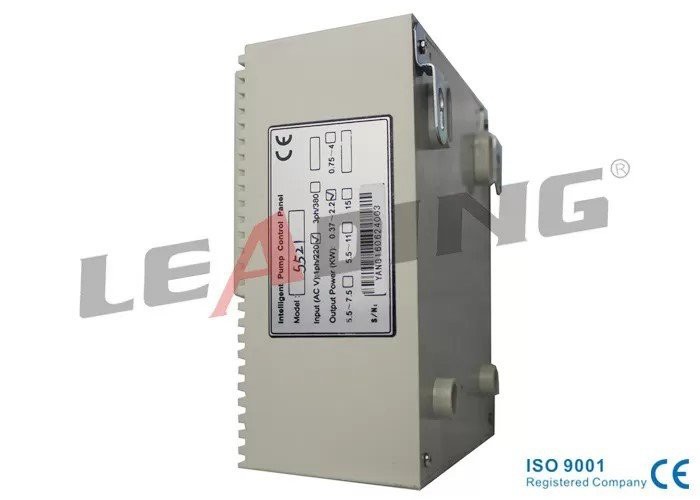

- Submersible Water Pump Control Box: This link provides detailed information about our submersible water pump control boxes, which are designed to work with our intelligent pump controllers.
- DOL Start Type Intelligent Pump Controller with Stalled Protection: Learn more about our DOL start type intelligent pump controllers with stalled protection, which offer reliable and efficient pump control.
- Intelligent Pump Controller with Liquid Probe Float Switch Liquid Level Control: This link provides information about our intelligent pump controllers with liquid probe float switch liquid level control, which are ideal for applications where precise liquid level control is required.
Conclusion
Troubleshooting common problems of the Holidays House Intelligent Pump Controller can be a straightforward process if you follow the steps outlined in this blog. By checking the power supply, pump connections, control settings, and other components, you can quickly identify and resolve most issues. However, if you are still unable to solve the problem, do not hesitate to contact our customer support team. We are committed to providing you with the best possible service and ensuring that your pump system operates smoothly. If you are interested in purchasing our Holidays House Intelligent Pump Controllers or have any questions about our products, please feel free to reach out to us for procurement discussions.
References
- Holidays House Intelligent Pump Controller User Manual
- Pump System Troubleshooting Guide