


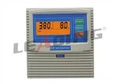
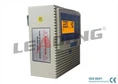


Hey there! I'm a supplier of Universal Three Phase Pump Control Panels, and today I wanna share some tips on how to upgrade these panels. Whether you're looking to boost performance, enhance safety, or just keep up with the latest tech, upgrading your control panel can be a game - changer.
Why Upgrade?
First off, let's talk about why you might want to upgrade your Universal Three Phase Pump Control Panel. Over time, technology advances, and older panels may not be able to handle the demands of modern pumps. You might notice issues like inconsistent pump operation, poor energy efficiency, or a lack of advanced features that could make your life easier.
Upgrading can also improve safety. Newer panels often come with better protection features, such as overload protection, short - circuit protection, and ground - fault protection. These features can prevent damage to your pumps and reduce the risk of electrical fires.
Step 1: Assess Your Current Panel
Before you start upgrading, you need to take a good look at your current control panel. Check its age, condition, and the features it currently has. Make a list of what's working well and what needs improvement. For example, if your panel has outdated wiring or components that are frequently failing, these are areas you'll want to address.
You should also consider the size and capacity of your panel. If you're planning to add more pumps or increase the load on your existing pumps, you'll need a panel that can handle the additional power.
Step 2: Research New Panels
Once you've assessed your current panel, it's time to start researching new ones. There are a lot of options out there, so it's important to find a panel that meets your specific needs.
Check out different brands and models. Look for panels that have the features you want, such as remote monitoring, automatic start - stop functions, and adjustable settings. You can also read reviews from other users to get an idea of how well a particular panel performs in real - world situations.
Here are some great options you might want to consider:
- M531 Three Phase Water Pump Control Panel For: This panel offers advanced features and reliable performance.
- Automatic Pump Controller Three Phase Pump Control Panel Specialized in Sewage Lifting: Ideal for sewage lifting applications, it comes with specialized functions to handle the unique challenges of this type of pumping.
- Single Sewage Pump Controller: If you only have a single sewage pump, this controller can provide efficient and effective control.
Step 3: Plan the Upgrade
Once you've chosen a new panel, it's time to plan the upgrade process. This is a crucial step, as a well - planned upgrade can save you time and money in the long run.
First, create a detailed timeline. Determine when you'll be able to shut down your pumps for the upgrade. You'll want to minimize downtime, so try to schedule the upgrade during a period when your pumps are not in high demand.
Next, gather all the tools and materials you'll need for the upgrade. This may include screwdrivers, wire cutters, electrical tape, and of course, the new control panel. Make sure you have everything on hand before you start the upgrade.
Step 4: Install the New Panel
Now it's time to install the new panel. This is a job that requires some electrical knowledge, so if you're not comfortable working with electricity, it's best to hire a professional electrician.
Start by turning off the power to your existing panel. Double - check that the power is off using a voltage tester. Then, carefully remove the old panel from its mounting location. Take note of how the wires are connected, as you'll need to connect the new panel in the same way.
Install the new panel in the same location as the old one. Secure it to the mounting surface using the appropriate screws or brackets. Then, start connecting the wires to the new panel. Make sure each wire is connected to the correct terminal, and use electrical tape to insulate the connections.


Step 5: Test the New Panel
After you've installed the new panel, it's time to test it. Turn on the power to the panel and check that all the lights and indicators are working correctly. Then, start your pumps and monitor their operation.
Check for any unusual noises, vibrations, or other signs of problems. If you notice any issues, turn off the power immediately and double - check your connections. It may take a little time to fine - tune the settings on the new panel to get the best performance from your pumps.
Step 6: Train Your Staff
Once the new panel is up and running, it's important to train your staff on how to use it. Make sure they understand the new features and functions of the panel, as well as any safety procedures.
Provide them with a user manual or training materials, and give them hands - on training if possible. Encourage them to ask questions and provide feedback, as this can help you identify any areas where the training could be improved.
Conclusion
Upgrading your Universal Three Phase Pump Control Panel can be a complex process, but it's well worth the effort. By following these steps, you can ensure that your new panel is installed correctly and provides reliable performance for years to come.
If you're interested in purchasing a new control panel or have any questions about the upgrade process, feel free to reach out. We're here to help you find the best solution for your pumping needs. Let's have a chat and see how we can work together to upgrade your system.
References
- Electrical Installation Standards Handbook
- Pump Control Panel Manufacturer's Manuals