


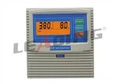



As a supplier of the Holidays House Intelligent Pump Controller, I often get asked about the various formats in which the logged data from our controllers can be exported. In this blog post, I'll delve into the details of these export formats, explaining their benefits and use - cases.
Understanding the Importance of Data Export
Before we get into the specific formats, it's crucial to understand why data export is so important for users of our Holidays House Intelligent Pump Controller. The logged data contains valuable information about the pump's operation, such as running time, start - stop cycles, pressure readings, and any error codes. By exporting this data, users can perform in - depth analysis, troubleshoot issues, and make informed decisions about pump maintenance and optimization.
CSV (Comma - Separated Values)
One of the most common and widely supported formats for data export is CSV. In a CSV file, data is organized in rows and columns, with each value separated by a comma. This simplicity makes it easy to import the data into a variety of applications, including spreadsheet software like Microsoft Excel or Google Sheets.
The main advantage of using the CSV format is its universality. Almost every data analysis tool can read and process CSV files. For example, a pump operator can export the logged data in CSV format and then use Excel to create graphs and charts to visualize the pump's performance over time. They can easily calculate averages, identify trends, and spot any anomalies in the data.


Another benefit is its human - readability. A CSV file can be opened with a simple text editor, allowing users to quickly glance at the data without the need for specialized software. If you're a technician on - site and need to quickly check some basic data, opening a CSV file in Notepad or a similar text editor can provide you with the information you need.
XML (eXtensible Markup Language)
XML is a more structured format for data export. It uses tags to define the elements of the data, which makes it self - describing. Each piece of data is enclosed within tags that indicate its meaning. For example, a pressure reading might be enclosed in <pressure> tags.
The structured nature of XML makes it ideal for data exchange between different systems. If your company has an in - house data management system that can handle XML files, exporting the logged data from our Holidays House Intelligent Pump Controller in XML format allows for seamless integration. This can be particularly useful for large - scale operations where data needs to be shared across multiple departments or integrated with other business processes.
XML also supports hierarchical data. This means that related pieces of data can be grouped together in a logical structure. For instance, all the data related to a particular pump cycle can be grouped under a single <pump_cycle> tag, with sub - tags for individual parameters like start time, end time, and energy consumption.
JSON (JavaScript Object Notation)
JSON has gained popularity in recent years, especially in web - based applications. It is a lightweight data interchange format that is easy for humans to read and write, and easy for machines to parse and generate.
JSON uses a simple key - value pair structure. For example, a data entry for a pump's running time might look like "running_time": 120, where "running_time" is the key and 120 is the value. This format is highly suitable for applications that need to quickly access and process the data, such as web - based dashboards.
If you're developing a custom web application to monitor the performance of your pumps, JSON is an excellent choice for data export. The data can be easily fetched from the exported JSON file and displayed in real - time on the dashboard. Additionally, many programming languages have built - in support for JSON parsing, which simplifies the development process.
PDF (Portable Document Format)
The PDF format is useful when you need to present the logged data in a professional and printable format. A PDF file retains the formatting of the data, ensuring that it looks the same on any device or printer.
For reporting purposes, exporting the logged data in PDF format can be very effective. You can include headings, tables, and graphs in the PDF to present the data in a clear and organized manner. This is particularly useful when sharing the data with management or clients who need a comprehensive overview of the pump's performance.
However, PDF files are not as easily editable or analyzable as CSV, XML, or JSON files. They are more suitable for presenting a final report rather than for further data processing.
Use - Cases and Examples
Let's take a look at some real - world use - cases for each of these export formats.
Suppose you're a water treatment plant operator. You want to analyze the performance of the pumps over a month to identify any inefficiencies. You can export the logged data in CSV format and import it into Excel. Using Excel's data analysis tools, you can calculate the average energy consumption per pump cycle and compare it across different pumps. This analysis can help you determine which pumps need maintenance or replacement.
If your company has a central data management system that uses XML for data integration, you can export the data from the Holidays House Intelligent Pump Controller in XML format. This allows the data to be automatically integrated into the system, where it can be combined with other operational data for a comprehensive view of the entire plant.
For a pump manufacturer that wants to develop a mobile application to monitor the pumps installed at various customer sites, JSON would be the ideal export format. The mobile app can fetch the JSON data from the controller and display real - time performance information to the technicians.
If you need to present the pump performance data to a regulatory agency, a PDF report would be the best option. You can create a detailed report with graphs, tables, and explanations, and export it in PDF format for easy sharing.
Our Product Range
We offer a variety of intelligent pump controllers to meet different needs. Check out our Three Phase Intelligent Pump Controller Wall Mounting, which is designed for easy installation on walls and provides reliable three - phase pump control. Our Intelligent Pump Controller with Liquid Probe Float Switch Liquid Level Control is perfect for applications where liquid level control is crucial. And for those who need a controller for three - phase submersible pumps, our Intelligent Pump Controller Wiht 3 Phase Submersible Control Panel is an excellent choice.
Conclusion
In conclusion, the Holidays House Intelligent Pump Controller offers multiple data export formats, each with its own unique advantages. Whether you need a simple and universal format like CSV for basic data analysis, a structured format like XML for system integration, a lightweight format like JSON for web - based applications, or a professional presentation format like PDF, we've got you covered.
If you're interested in learning more about our products or have any questions regarding data export formats, we encourage you to reach out to us. We're here to help you make the most of your pump controllers and ensure the efficient operation of your pumping systems. Contact us today to start a discussion about your specific requirements and how our products can meet them.
References
- Data Export and Analysis Best Practices in Industrial Automation, Industrial Technology Journal, 2022.
- XML: A Primer for Data Integration, Data Management Review, 2021.
- JSON in Modern Web Applications, Web Development Trends Magazine, 2023.