


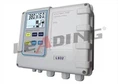
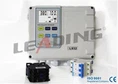
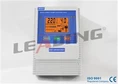
The so-called mobile phone controlled water pump is not a kind of water pump. In fact, the water pump is connected to a control cabinet that can be remotely controlled by a mobile phone. Therefore, any water pump can realize the function of mobile phone control. At present, we use more widely It uses the mobile phone to download APP to realize the function of mobile phone control. This mode is a way of lower production cost. As long as the mobile phone has a signal, the water pump can be controlled. It will not be restricted due to the influence of environmental factors and the distance. The mobile phone remote control water pump controller that we configure has the chip of China Mobile Internet of Things. In the past, the mobile phone remote control water pump control cabinet needs to insert a secondary card to use it, and it can be used only after downloading the APP to add the equipment. At present, the most widely used water pump products that use mobile phones to remotely control water pumps include: non-negative pressure water supply equipment, or for flood prevention and rescue: large-flow portable submersible pumps. It is a trend to use mobile phones to remotely control water pumps in the future.
Features of mobile phone controlled water pump control cabinet
1. The water pump can be controlled to start and stop in any place in the world where there is a mobile phone signal.
2. Simple operation.
3. A master phone can share multiple numbers for control.
4. With the function of time switch, free setting changes on the mobile phone.
Operation method of water pump control cabinet controlled by mobile phone
1. Search in the mobile application: eWelink downloads the APP.
2. Then register an account with the number and set the password.
3. Connect the device according to the wiring diagram of the device, connect the incoming line of the mobile phone remote control water pump controller to the power supply, and then connect the water pump. The water pump remote controller needs about 10 seconds to turn on each time it is powered on.
4. After power on, the signal light of the mobile phone remote control water pump controller starts to flash quickly (flashing four times a second), and then press and hold the configuration button on the device for about 5 seconds, until the signal indicator stops flashing quickly, and the device moves The Internet of Things function is sufficient, and it will automatically connect to the server through the mobile network.
5. Then use the Yiweilian APP on the mobile phone-Scan in the upper right corner, click the symbol in the upper right corner to select Scan, scan the QR code on the left side of the mobile phone remote control water pump control cabinet to add the device number, complete the mobile phone and the controller connection.
6. Give the device a name and remark on the APP, complete the addition, and the signal indicator will be on after completion.
Mobile phone control water pump control cabinet APP function and characteristics
1. Remote switch on the mobile phone client, real-time synchronous feedback of the device status, in the APP operation interface, a single click on the APP switch icon can realize the power on and off of the device. If the switch is manually controlled, the APP will also display the mobile phone remote control water pump control cabinet in real time. Current status.
2. The function of sharing the device with others with the main account: The main account (the first account to which the device is added) can share the device with friends, realizing the function of multi-person joint control. The account to be shared must be a registered eWeilink account. Please keep logged in online when being shared. While sharing, you can check the timer permissions (add, modify, delete, enable).
3. Multi-mode timing and network disconnection execution function, set the timing time to start at any time you want, and support up to 8 sets of timing switches, including single, repeat, and delayed fast timing modes. The device can still execute the set time switch even when the network is disconnected, but it is necessary to keep the mobile phone to remotely control the water pump control cabinet without electricity.