


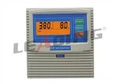
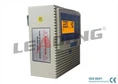


Resetting a Universal Three Phase Pump Control Panel can seem like a daunting task, but with the right guidance, it can be a straightforward process. As a supplier of Universal Three Phase Pump Control Panels, I've had extensive experience with these systems and understand the ins and outs of resetting them. In this blog post, I'll walk you through the steps to reset a Universal Three Phase Pump Control Panel, ensuring that your pump operates smoothly and efficiently.
Understanding the Universal Three Phase Pump Control Panel
Before we dive into the reset process, it's essential to have a basic understanding of what a Universal Three Phase Pump Control Panel is and how it functions. A three-phase pump control panel is designed to manage and protect three-phase pumps, which are commonly used in industrial, commercial, and residential applications. These panels monitor the pump's performance, control its operation, and provide protection against various electrical faults such as overload, under-voltage, and phase imbalance.
Universal Three Phase Pump Control Panels are versatile and can be used with different types of three-phase pumps, including submersible pumps, sewage pumps, and centrifugal pumps. They come with a range of features and functions, such as manual and automatic operation modes, digital displays, and alarm systems.
Reasons for Resetting the Control Panel
There are several reasons why you might need to reset a Universal Three Phase Pump Control Panel. Some of the most common reasons include:
- Tripped Protective Devices: If the control panel's protective devices, such as circuit breakers or overload relays, have tripped due to an electrical fault, resetting the panel can restore normal operation.
- System Malfunctions: Sometimes, the control panel may experience a malfunction, such as a software glitch or a sensor failure. Resetting the panel can often resolve these issues.
- Power Outages: A power outage can cause the control panel to lose its settings and configuration. Resetting the panel after a power outage can ensure that it is operating correctly.
- Maintenance and Testing: Resetting the control panel is often necessary during maintenance and testing procedures to ensure that the panel is functioning properly.
Step-by-Step Guide to Resetting a Universal Three Phase Pump Control Panel
Now that we understand the importance of resetting the control panel, let's walk through the step-by-step process:
Step 1: Safety First
Before you begin any work on the control panel, it's crucial to ensure your safety. Turn off the power supply to the control panel at the main circuit breaker or disconnect switch. This will prevent any electrical shock or injury while you are working on the panel.
Step 2: Identify the Reset Button or Switch
Most Universal Three Phase Pump Control Panels are equipped with a reset button or switch. This button is usually located on the front panel of the control panel and is labeled "Reset" or "Restart." In some cases, the reset function may be accessed through a menu on the control panel's digital display.
Step 3: Check for Fault Indicators
Before you reset the control panel, check for any fault indicators on the panel's digital display or indicator lights. These indicators can provide valuable information about the cause of the problem. If there are any fault indicators present, refer to the control panel's user manual to diagnose and resolve the issue before resetting the panel.
Step 4: Press the Reset Button or Switch
Once you have ensured your safety and checked for fault indicators, press the reset button or switch on the control panel. Hold the button down for a few seconds to ensure that the reset function is activated.


Step 5: Wait for the Panel to Initialize
After you have pressed the reset button, the control panel will begin to initialize. This process may take a few seconds to a few minutes, depending on the type and complexity of the control panel. During this time, the panel's digital display may show various messages and indicators as it initializes.
Step 6: Check the Panel's Operation
Once the control panel has finished initializing, check its operation to ensure that it is functioning correctly. Turn on the power supply to the control panel at the main circuit breaker or disconnect switch. Check the panel's digital display for any error messages or fault indicators. If the panel is operating correctly, the pump should start up and run smoothly.
Step 7: Monitor the Pump's Performance
After resetting the control panel, it's important to monitor the pump's performance for a few hours to ensure that it is operating correctly. Check the pump's flow rate, pressure, and temperature to ensure that they are within the normal range. If you notice any abnormal behavior or performance issues, stop the pump immediately and refer to the control panel's user manual or contact a qualified technician for assistance.
Troubleshooting Tips
If you encounter any problems while resetting the control panel or if the pump does not start up after resetting the panel, here are some troubleshooting tips:
- Check the Power Supply: Ensure that the power supply to the control panel is turned on and that there are no tripped circuit breakers or blown fuses.
- Check the Wiring Connections: Inspect the wiring connections between the control panel and the pump to ensure that they are secure and free from damage.
- Check the Pump Motor: If the pump motor is not running, check the motor's windings for continuity and insulation resistance. If the motor is damaged, it may need to be replaced.
- Refer to the User Manual: If you are still experiencing problems, refer to the control panel's user manual for troubleshooting tips and instructions.
Recommended Products
As a supplier of Universal Three Phase Pump Control Panels, I recommend the following products for your pumping needs:
- IP54 3 Phase Digital Submersible Pump Controller Panel: This control panel is designed for use with submersible pumps and features a digital display, manual and automatic operation modes, and overload protection.
- Multifunction Three Phase Pump Control Panel Overload Protection for Waste Water Systems: This control panel is suitable for use with waste water systems and provides multifunction protection, including overload, under-voltage, and phase imbalance protection.
- Three Phase Sewage Lifting Pump Controller with Manual & Auto Mode: This control panel is specifically designed for use with sewage lifting pumps and features manual and automatic operation modes, as well as alarm systems.
Conclusion
Resetting a Universal Three Phase Pump Control Panel is a relatively simple process that can be completed by following the steps outlined in this blog post. By understanding the importance of resetting the control panel and following the proper safety procedures, you can ensure that your pump operates smoothly and efficiently. If you have any questions or need further assistance, please don't hesitate to contact us. We are a leading supplier of Universal Three Phase Pump Control Panels and can provide you with the products and support you need. Whether you are looking to purchase a new control panel or need help with installation, maintenance, or troubleshooting, we are here to help. Contact us today to discuss your pumping needs and explore our range of high-quality control panels.
References
- Manufacturer's user manuals for Universal Three Phase Pump Control Panels
- Electrical safety standards and guidelines