


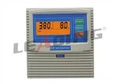
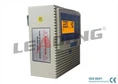


Hey there! As a supplier of Multifunction Wireless Water Pump Controllers, I'm super excited to share with you how to set up different control modes on these nifty devices. These controllers are like the brains behind your water pump, allowing you to manage it in various ways to suit your specific needs.
First off, let's understand why having different control modes is so important. Different situations call for different ways of operating your water pump. Whether you're using it for a small home garden, a large industrial plant, or something in between, being able to switch between control modes can save you time, energy, and money.
Manual Control Mode
The most basic control mode is the manual control mode. It's as simple as it sounds. You take direct control of the water pump, turning it on and off whenever you want. This mode is great for when you need to do a one - time task, like filling a specific container or draining a small area.
To set up the manual control mode on our Multifunction Wireless Water Pump Controller, follow these steps:
- First, make sure your controller is properly connected to the water pump and powered on. You should see the indicator lights on the controller come on.
- Look for the "Manual" button on the controller's interface. It's usually clearly labeled. Press this button, and the controller will enter manual control mode.
- Now, you'll have two other buttons: one for turning the pump on and one for turning it off. Press the "On" button when you want the pump to start working, and the "Off" button when you're done.
This mode is straightforward and doesn't require any complex programming. It gives you full hands - on control, which can be really useful in certain situations.
Automatic Level Control Mode
The automatic level control mode is a game - changer, especially if you're dealing with water storage tanks or sump pits. This mode allows the pump to turn on and off automatically based on the water level.


Here's how you set it up:
- Install the water level sensors. These sensors are usually included with our Multifunction Wireless Water Pump Controller. Place them at the appropriate levels in your tank or pit. For example, you might place a high - level sensor near the top of the tank to tell the pump when to stop filling, and a low - level sensor near the bottom to tell it when to start pumping.
- Connect the sensors to the controller. Make sure the connections are secure. You'll see indicator lights on the controller that will confirm if the sensors are properly connected.
- On the controller's interface, find the "Automatic Level" button. Press it to enter the automatic level control mode.
- You may need to calibrate the sensors. This involves adjusting the sensitivity settings on the controller so that it accurately detects the water levels. Follow the instructions in the user manual for detailed calibration steps.
Once set up, the pump will start when the water reaches the low - level sensor and stop when it reaches the high - level sensor. This mode is great for maintaining a consistent water level without you having to constantly monitor it.
Timer Control Mode
The timer control mode is perfect for situations where you want the pump to operate at specific times. Maybe you want to water your garden at the same time every morning or run the pump for a set period during the day.
To set up the timer control mode:
- Navigate to the "Timer" option on the controller's menu. You can usually do this by using the arrow keys or a touch - screen interface, depending on the model of your controller.
- Set the start time. Use the numerical keys or the time - setting function to enter the exact time you want the pump to start.
- Set the stop time. Similar to setting the start time, enter the time when you want the pump to stop.
- Once you've set the start and stop times, press the "Set" or "Confirm" button to save the settings.
The controller will then automatically turn the pump on and off according to the times you've set. This mode is energy - efficient as it ensures the pump only runs when necessary.
Remote Control Mode
One of the coolest features of our Multifunction Wireless Water Pump Controller is the remote control mode. With this mode, you can control the pump from a distance using a wireless remote.
Here's how to set it up:
- Pair the remote with the controller. Usually, there's a "Pairing" button on both the remote and the controller. Press the pairing button on the controller first, and then press the corresponding button on the remote within a few seconds. The indicator lights on both devices will confirm if the pairing is successful.
- Once paired, you can use the buttons on the remote to turn the pump on and off, switch between different control modes, and even adjust some settings.
This mode is extremely convenient, especially if you can't be right next to the pump all the time. You can control it from the comfort of your home or office.
Safety and Compatibility
It's important to note that our Multifunction Wireless Water Pump Controller is designed with safety in mind. It has built - in protection features like overload protection, short - circuit protection, and over - voltage protection. These features ensure that your pump and the controller itself are safe from damage.
Also, our controllers are compatible with a wide range of water pumps. Whether you have a single - phase pump or a three - phase pump, our controller can work with it. For example, if you're looking for a waterproof simplex pump controller with open - phase protection for industrial plants, check out Waterproof Simplex Pump Controller Open Phase Protection for Industrial Plants. If you need an easy - installation simplex pump 3 - phase pump controller, take a look at Easy Installation Simplex Pump 3 Phase Pump Controller. And for a single - phase pump control with empty - load function protection, visit Single Phase Pump Control with Empty Load Function Protection.
Conclusion
Setting up different control modes on our Multifunction Wireless Water Pump Controller is not as complicated as it may seem. With a little bit of guidance and following the steps we've outlined, you can have your pump operating exactly the way you want it to. Whether it's manual, automatic level, timer, or remote control mode, each mode offers unique benefits for different applications.
If you're interested in purchasing our Multifunction Wireless Water Pump Controller or have any questions about setting up the control modes, don't hesitate to reach out to us. We're here to help you get the most out of your water pump system. Contact us to start a purchase negotiation, and let's find the perfect solution for your needs.
References
- Manufacturer's User Manual for Multifunction Wireless Water Pump Controller
- Industry standards for water pump control systems